
the Game
Every player has a style now. So does your team.
A Style tab on every player card shows how he really plays, and five Play mix sliders let you choose how your team plays. Plus a college season for the draft class, calmer coaching pages, a new Dash and a faster game.
This column usually reads the league back to you. Today it reads one player at a time. Since the My Player edition, almost everything new in HoopSim has had the same goal: show you how the sim plays, then give you the controls to change it. Here's what shipped.
The Style tab: how he really plays
This one started with a GM's ask: show me how a player actually plays, not just how good he is. Grades describe ability. Box scores describe results. Nothing in the game described a player's style. Now the player card does.
Open any player and there's a new tab between Shooting and Ratings: Style. It is built from the play-by-play of the games he has really played, set against the league average. You see where he plays, his share of shots from the paint, the mid-range and three with his FG% against a league tick, and what he does with the ball: pass, kick-out, catch-and-shoot, pull-up, drive, post-up, cut or turnover.
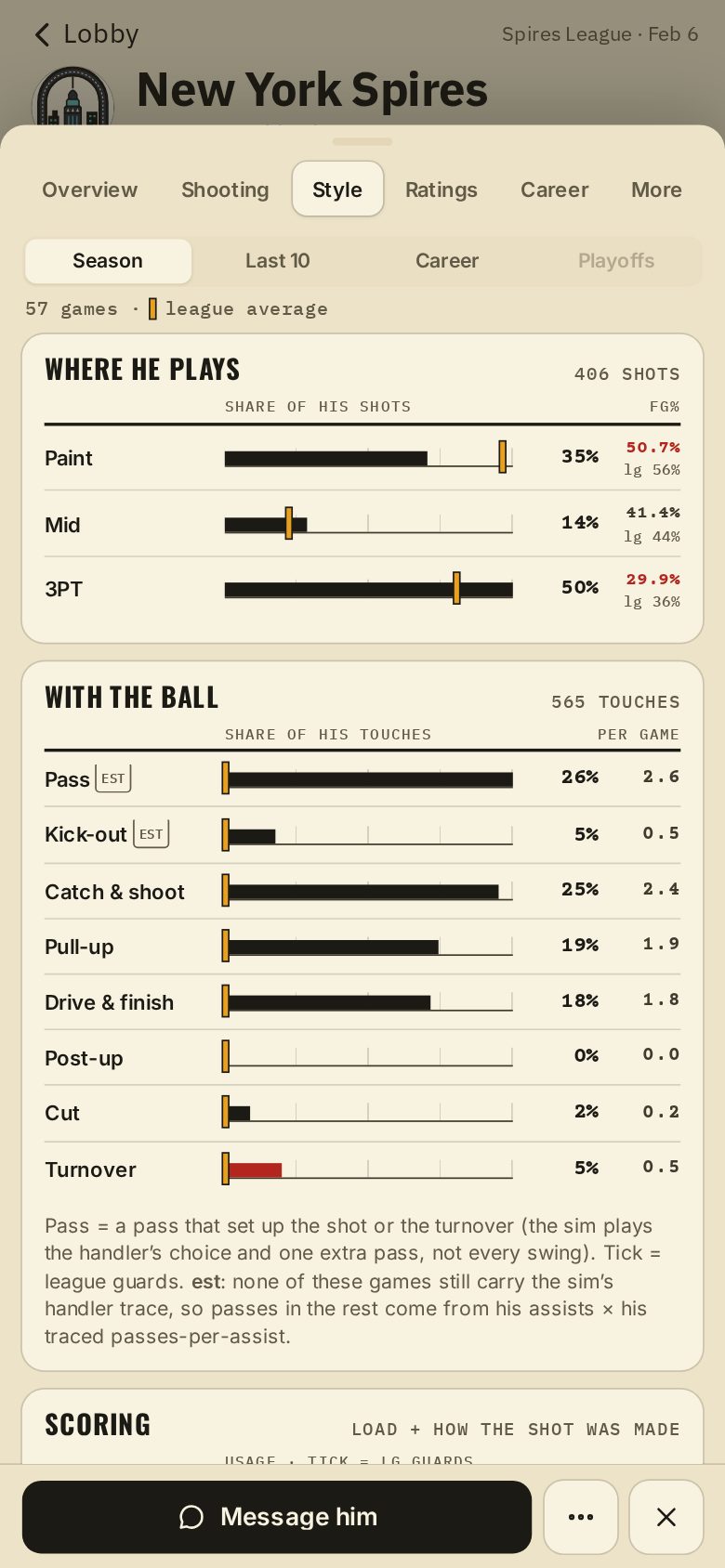
Below that, his scoring: a usage bar, how each shot was made (off the catch, off the dribble, at the rim, in the post, on a cut), and his play types, pick and roll, isolation, transition, off screen, hand-off, scored as points per play against the league. Then his career bests and his awards. Season, Last 10, Career and Playoffs are one tap apart.
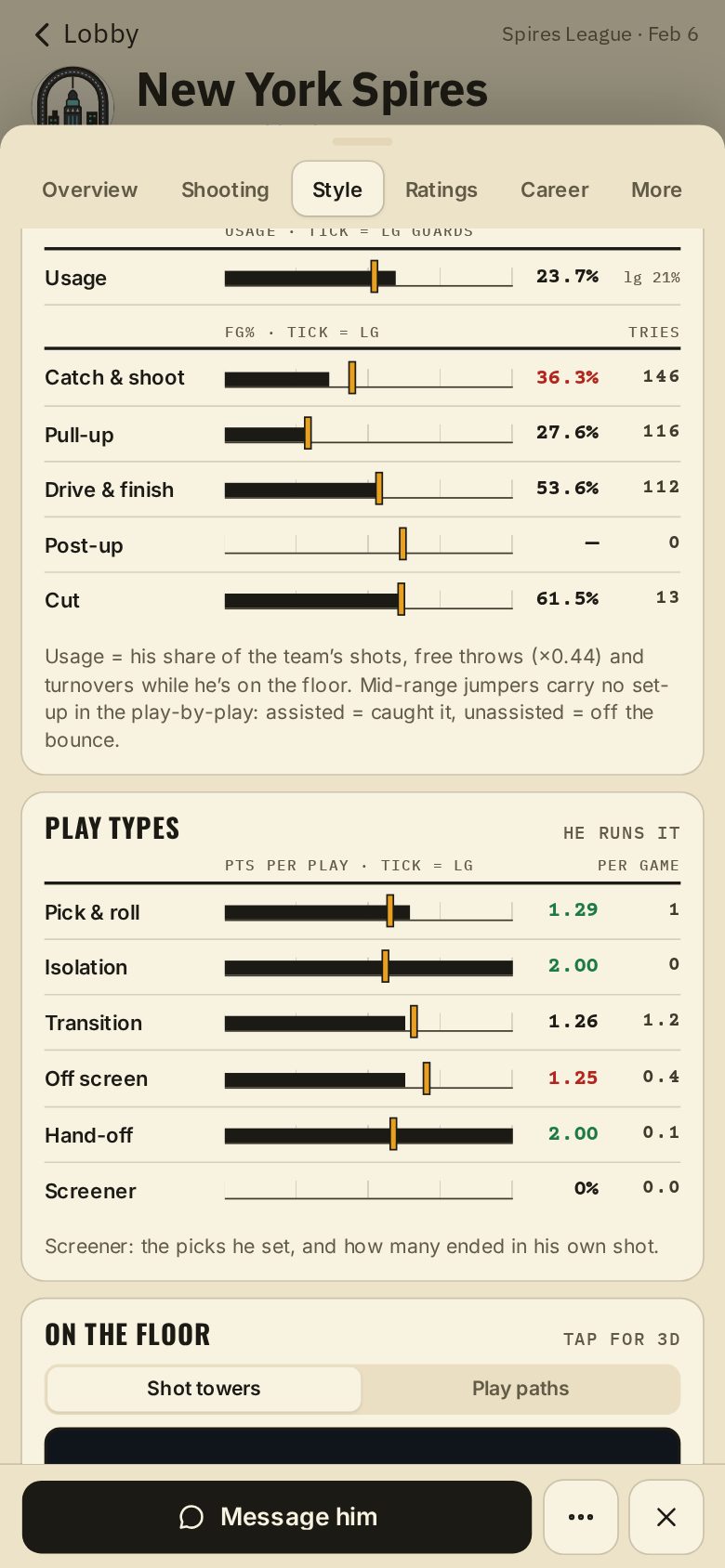
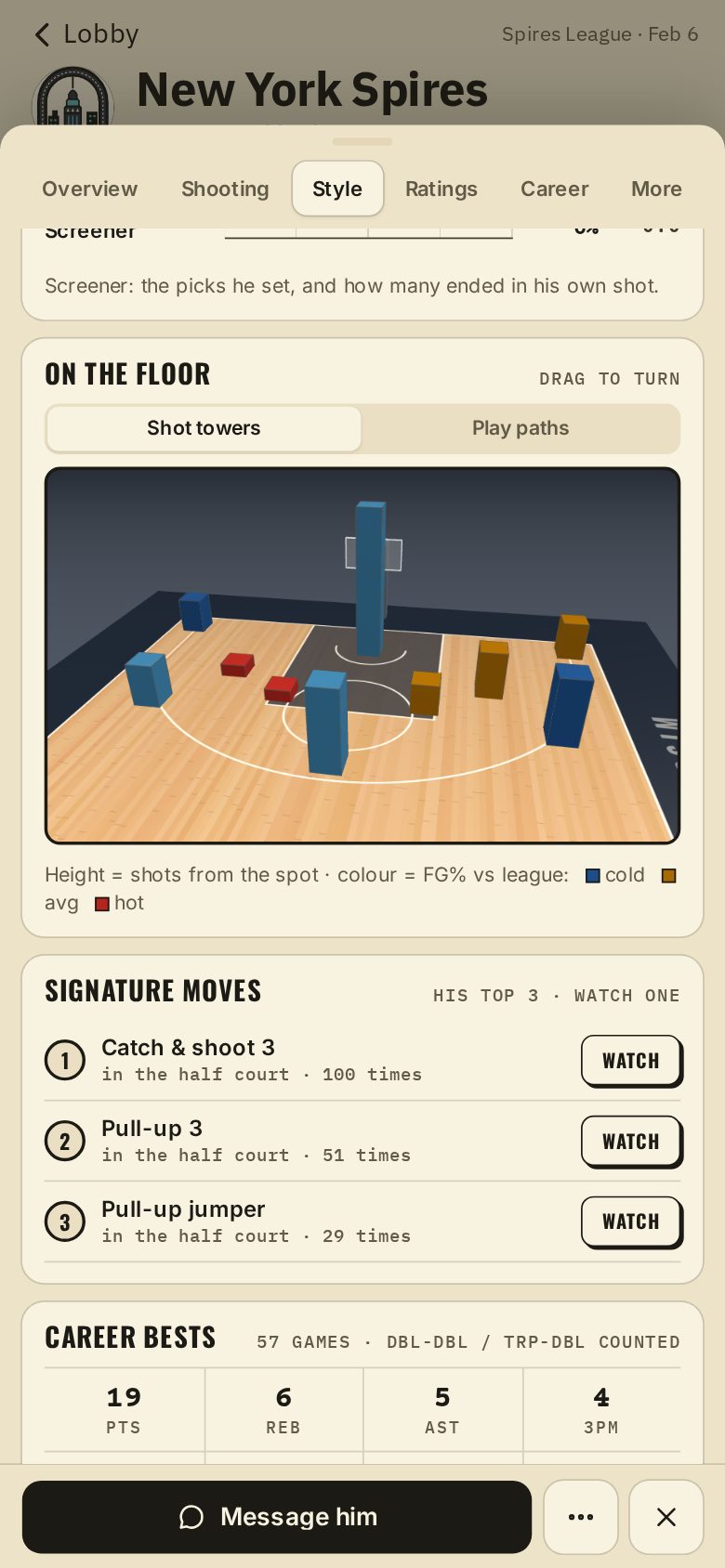
The part I like most is On the floor. Tap the court and it turns 3D: shot towers where his shots come from, coloured hot or cold against the league, or play paths for how his possessions run. Drag to turn it. Under the court are his three signature moves, and Watch replays a real possession from his games in the Sim Trace.
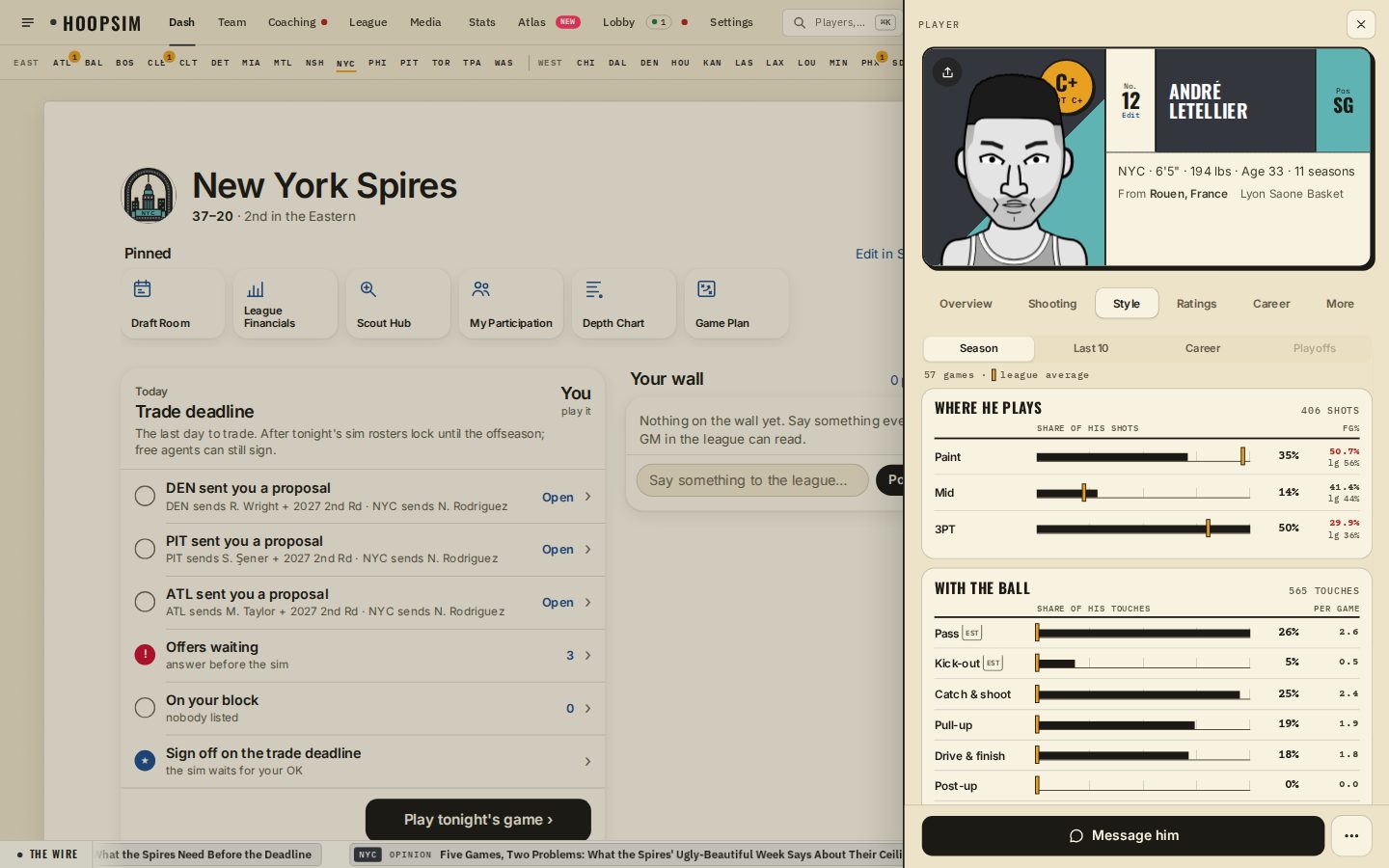
It's the same tab on a computer, in the player panel.
None of this is computed when you open the card. After every sim night a background job reads the new games and updates each player's numbers, so the tab is one stored row and one fast read. On the test league the route answers in about 4 ms.
Play mix: you choose how you score
Until now your Game Plan had a three-way play mix you couldn't really see. It's gone. In its place are five sliders, each 1 to 10: Pick & roll, Iso, Post, Motion and Spot-up. Five means the engine's own rates. Move one and the sim follows it. Pick and roll, for example, runs about 12% of half-court trips at 1, 18% at 5 and 44% at 10.
Five is exactly how the engine already played. I replayed 100 stored games with every style at 5 and got the same result 100 out of 100 times: score, box score, every player line, every event. So your team plays as it did until you move a slider. AI GMs set theirs from their own scouts' read of their roster, never from true ratings.
Each slider shows your points per trip in that style and where it ranks in the league, counted from the same post-night pass. The card sits at the top of the Game Plan, above Offense, so the first thing you see is what's working.
 Play mix card
 The sliders
The Amateur Circuit: a college season for the draft class
The draft used to start on draft night. Now it starts in the fall. 32 college schools in four conferences (ACC, SEC, Big Ten and Big 12) play a real season with the draft class on your league's own calendar. Week 1 is three weeks after your opener, with games on Tuesdays and Saturdays for 16 weeks, then conference tournaments and a 16-school Circuit Tournament. Every game is a 40-minute game on the same engine, with real box scores. Players grow from the minutes they play.
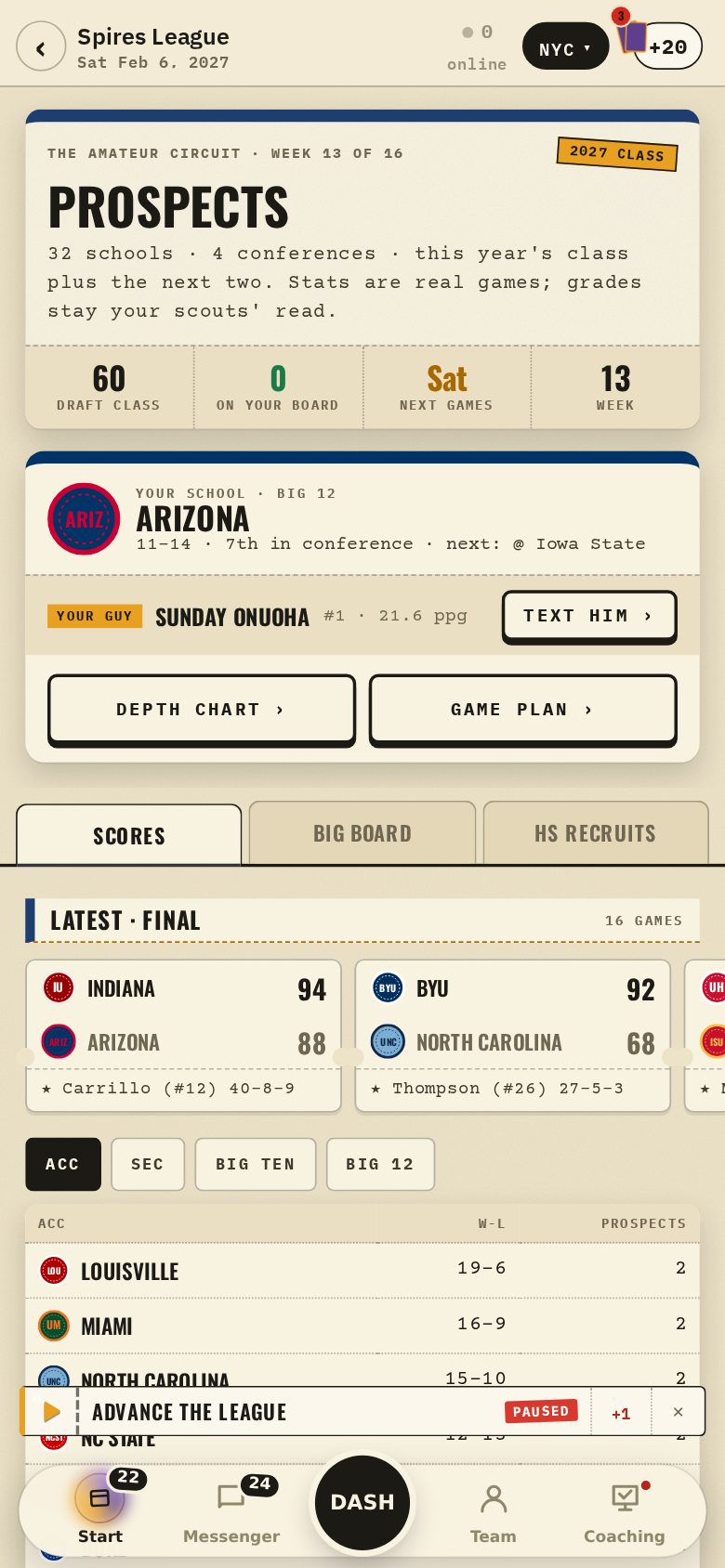
You can adopt a prospect and coach his school. You set the school's depth chart and game plan on the same pages you use for your own club. Once a week your coach's read of every player you coach sharpens beyond what any scout can give you, and you keep it. If you draft or sign a player you coached, you start with a bond. And your college guy can text you, just like My Player.
 School depth chart
 Board movers
Each week the Wire runs the board movers: the risers and fallers against the consensus board, and who's playing above or below his ranking. Behind the college season are the high-school seniors, 64 a year with a top-30 senior board. Stars follow the real national scale: the top 25 are five-star, 26 through 50 four-star, the rest three-star. On signing day in mid-April every senior commits to a school, and next year he's a freshman in your league.
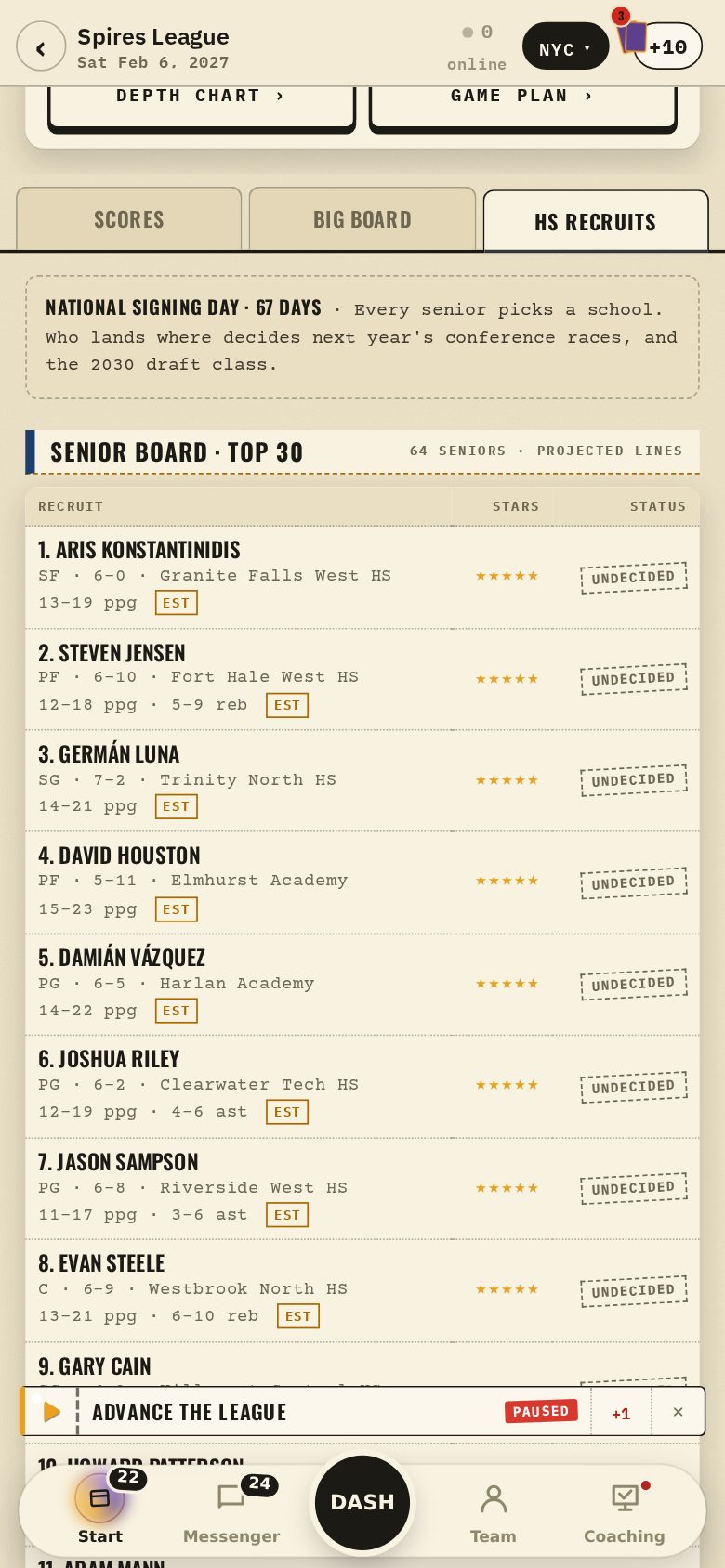
Commissioners can switch the circuit off on the Rules page, and edit the later classes on the new College league tab of Draft Class.
Calmer Game Plan and Depth Chart
Both coaching pages are now the calm versions by default, on phone and on a computer. They have less on screen, the same controls and the same saves. The Game Plan page draws about half as many elements as before (3,502 down to 1,727 on a phone), and its HTML is 361 KB down to 211 KB.
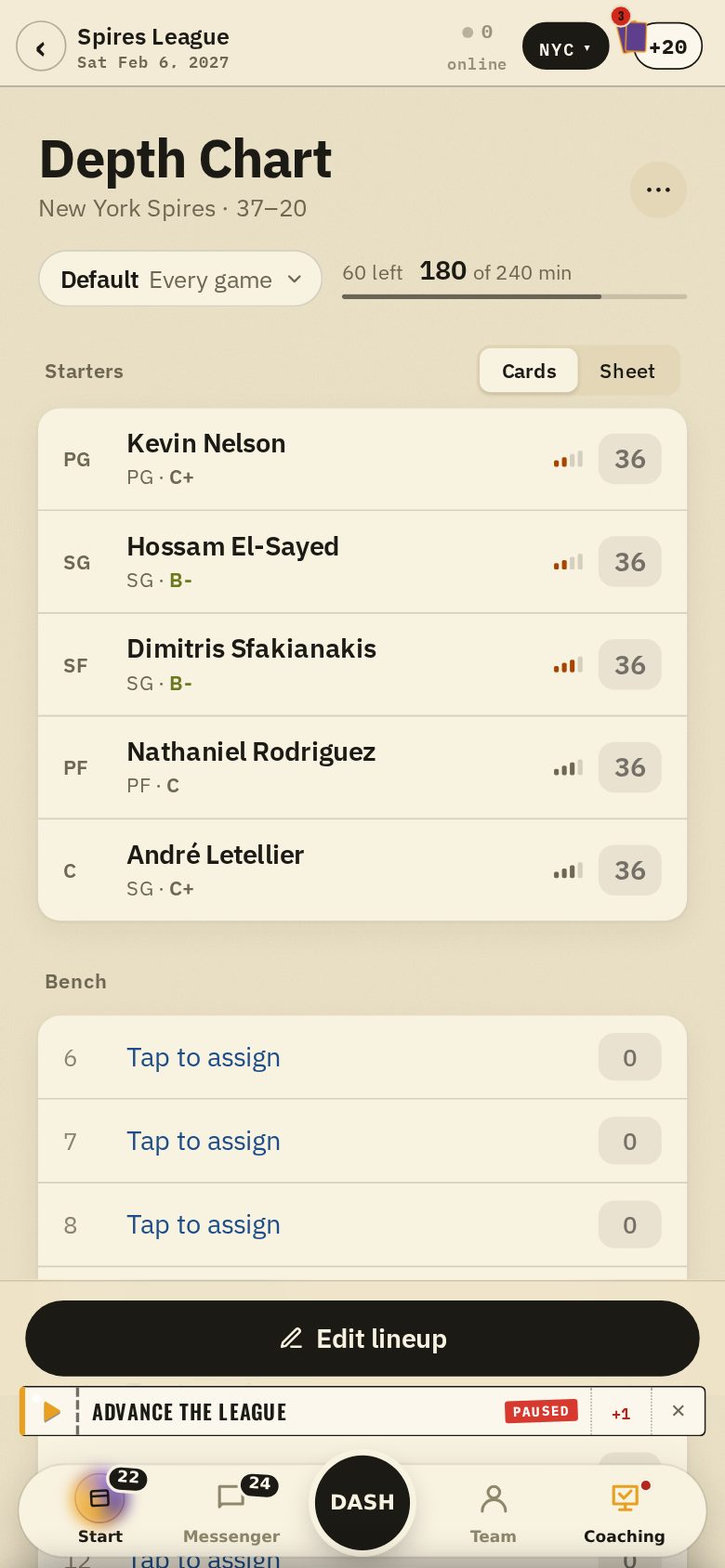
Dragging on the Depth Chart is quieter too: the row you hold lifts, one line shows where it will land, and one word on a starter tells you whether it's a swap. When you save a plan for one game, the page now offers Also use from now on, so later games start from it.
The new Dash: five things, and the Intel rail
The Dash now shows five things: Your move, the Wire, your Wall, one league line and your last result. On a phone it draws about a third fewer elements (5,350 down to 3,416). A team switcher row sits under the header, your team first and then A to Z. In preseason, your Camp report is a gold card at the top.
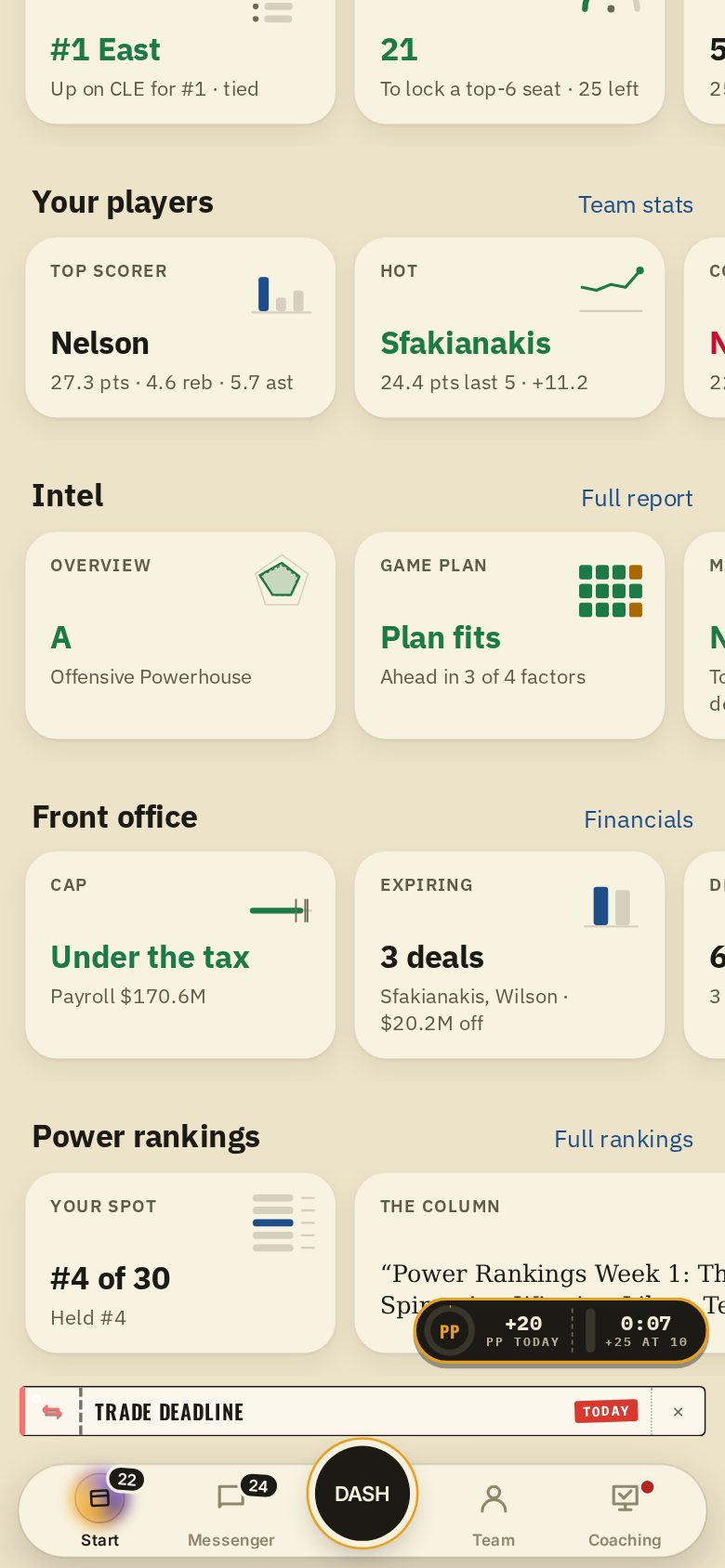
The Intel rail adds your coach's briefing and one card for each Game Intelligence tab: Overview, Game plan, Matchups, Staff chemistry and How it plays. Each card opens its tab. It's built in the background after every sim, so opening the Dash only reads it.
Quick hits
- 1Move to IR in one tapYour scouts pick who comes off the bench, the bench moves up, and Undo puts all 12 back exactly.
- 2IR auto-returnWhen a player on the list heals and the active list is full, he swaps back in. You choose who sits, or let the staff pick.
- 3Dress or sit for one gameA game's lineup can dress an IR player, or sit an active one, for that game only.
- 4One player cardThe same card on phone and computer, loaded on first tap. Post D (PSD) and Perimeter D (PRD) are no longer swapped on the Ratings tab.
- 5Fair fog on rival pagesA rival team page now shows your scouts' read of their players, not theirs.
- 1Every team chip distinctNo two team chips look alike in any league, checked across every league.
- 2Photos in DMsPaste a photo into any DM, and the photo viewer is fixed.
- 3A traded player texts youA rotation player traded to your club sends you a message. His mood depends on how the trade went for him.
- 4Smarter conversationsPostgame media picks real moments from the game, each role has its own voice, and there are fewer canned lines.
- 5Reassigned GMsA GM who moves to a new team shows that team in chat right away.
- 6A floating navThe phone tabs are now a floating capsule, with Dash as a raised round button.
Faster, in numbers
The rule hasn't changed: do the slow work after the sim, before you ask for it. The Style tab, play-type ranks and Intel cards are all built then, so the page you open only has to read them.
“Grades tell you what a player can do. Style shows you what he does.”